
General Rules & Regulations
Ensure a successful consultation by following these administrative steps.
Step 1: Technical Check
Ensure you have a stable internet connection and can provide high-quality photos. A typical session lasts 15–30 minutes.
Step 2: Understand the "Absconded" Policy
You must reply promptly within consultation hours. Patients who do not respond adequately on the same day will be marked as ABSCONDED.
Step 3: Privacy First
All data is confidential. No screenshots or recordings are permitted. You will receive an e-Prescription at the end of the session.
Step 4: Age & Triage Verification
Minors (under 18) require a parent/guardian present. Our triage officer will confirm if your case is suitable for teledermatology before proceeding.
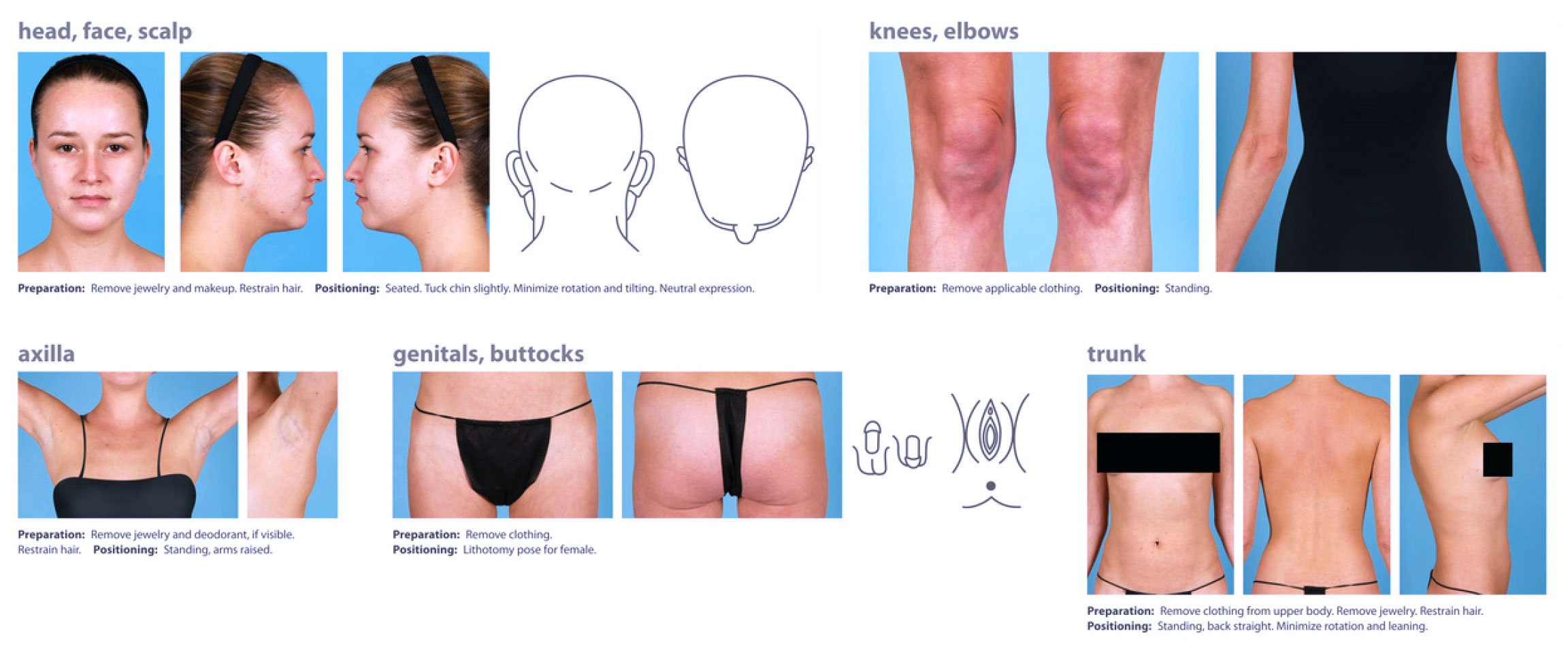
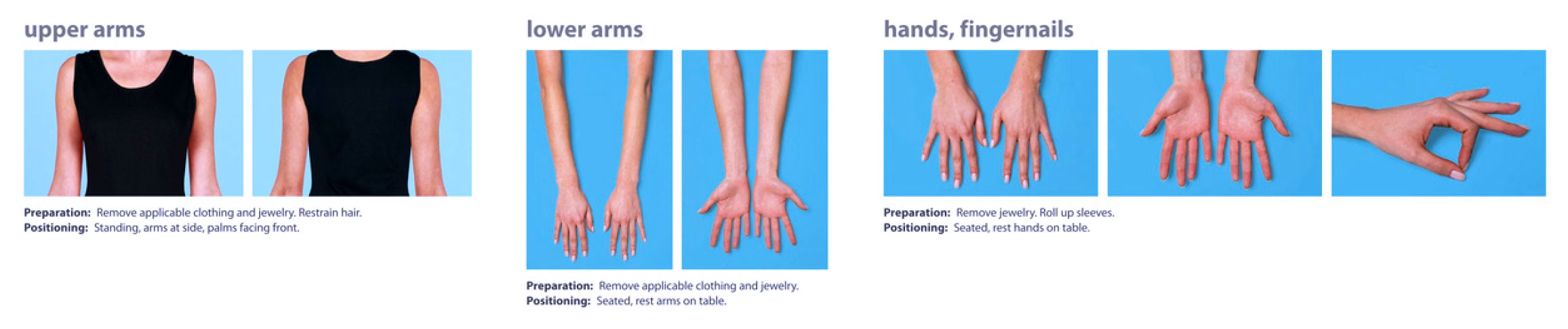
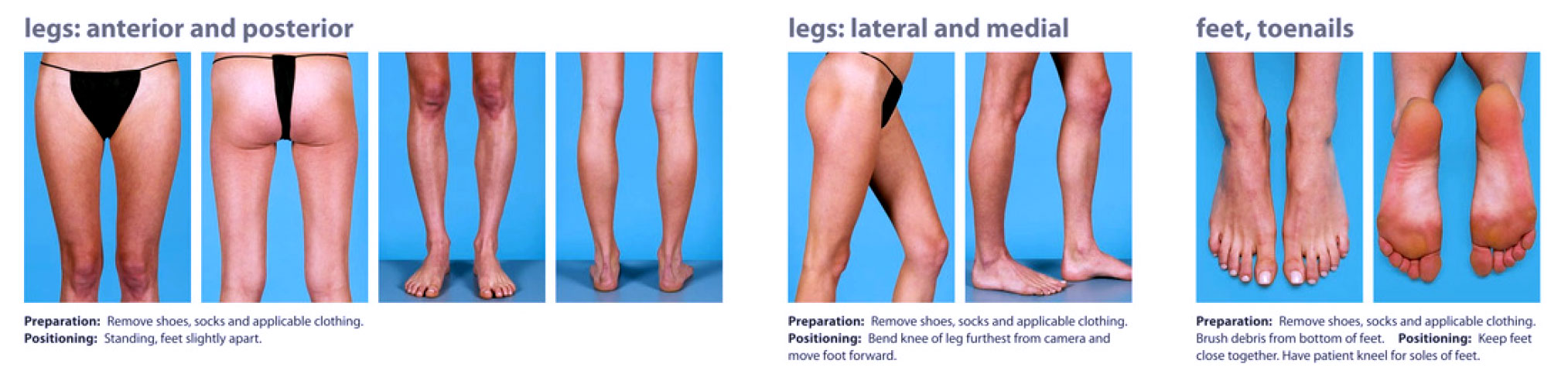
Follow these 6 steps to ensure the doctor can accurately diagnose your skin concern.
Step 1: Find the Light
Use proper lighting (natural daylight is best) so the texture and color of the skin are clearly visible.
Step 2: Neutralize the Background
Stand against a plain, neutral background like a solid-colored wall or door to avoid distractions in the frame.
Step 3: Level the Camera
Keep the camera level with the skin anatomy. Do not angle the lens up or down, as this can distort the appearance of the lesion.
Step 4: Center and Focus
Place the area of concern in the center of the frame and ensure the camera is focused sharply on the skin.
Step 5: Hold Steady
Use both hands to hold the camera steady to prevent any motion blur.
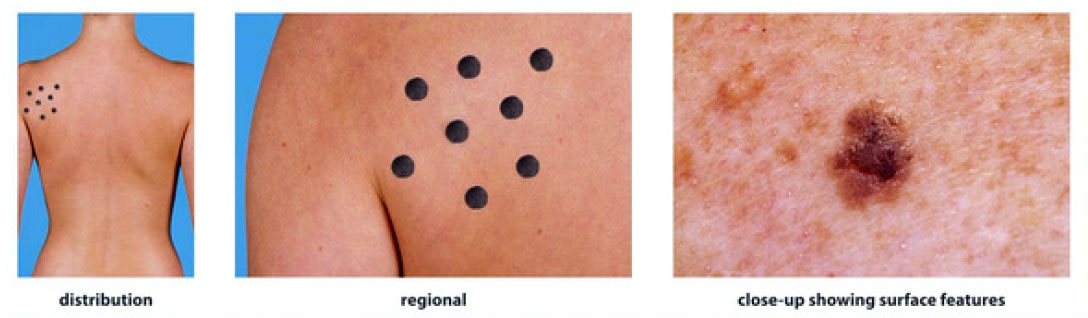
Step 6: Capture Multiple Views
Provide a regional view (showing where it is on the body) and a close-up view (showing the surface detail).
GET STARTED
Here are the steps to book a consultation
CLICK TO VIEW QR CODE Payment Options
• Pay the [Php1000] consultation fee.
• Upload screenshot payment in the consent form.
Choose the Schedule for consultation
Please indicate whether you prefer a face-to-face consultation or a Zoom consultation.
FILL UP THE CONSENT FORM
Fill up the forms (minors should be guided by guardians)
Your form entry has been saved and a unique link has been created which you can access to resume this form.
Enter your email address to receive the link via email. Alternatively, you can copy and save the link below.
Please note, this link should not be shared and will expire in 30 days, afterwards your form entry will be deleted.
